Security cameras are becoming decision systems
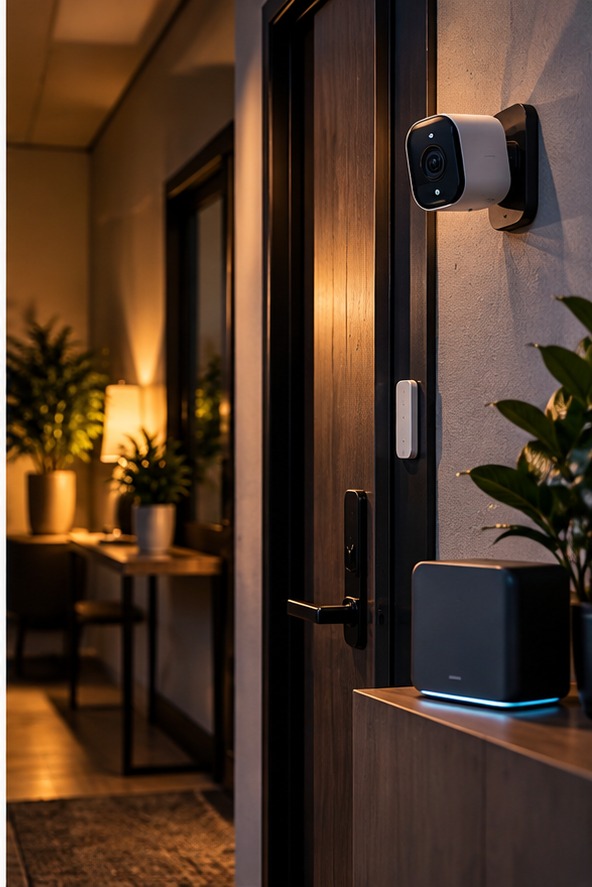
A modern home-security camera does more than send a video feed to a phone. Newer systems can classify objects, distinguish people from other movement and connect alerts to broader smart-home routines. That can make security more useful because raw motion detection produces too many notifications. A tree moving in the wind, a passing car or a pet can trigger an alert that does not matter. AI-assisted detection attempts to filter those events. A useful security outcome is not to eliminate every false alert; it is to make the alerts that remain more meaningful. As smart-home technology becomes more capable, this filtering layer is becoming one of its most important features.
Local processing versus cloud processing
One of the most important buying questions is where video analysis occurs. Some systems process information on the camera or a local hub, while others send footage or metadata to remote servers. Local processing can reduce reliance on internet connectivity and may limit how much sensitive footage leaves the home. Cloud systems can offer stronger remote access and more computational power, but they introduce additional privacy and service dependencies. Read the technical documentation rather than assuming one model works like another. Terms such as 'AI-powered' do not tell you where the computation happens.
Smart alerts should be configurable
A good security system should allow homeowners to decide what matters. You may want notifications when a person approaches the front door but not when a neighbour's cat crosses the garden. Zones, schedules and object categories can make a major difference. A camera aimed at a driveway may need different rules from one covering a back garden. Customisation also reduces notification fatigue. If the system sends dozens of low-value alerts every day, people eventually stop checking them. The purpose of intelligent detection is to make attention more useful.
Privacy extends beyond your property
A camera installed at home can capture more than your own household. It may record visitors, delivery workers, neighbours or people walking past the property. Position cameras carefully and avoid unnecessary coverage of private spaces. Consider local privacy and surveillance rules, especially if a camera points beyond your boundary. Family members should also know what devices are installed. Children and guests may not realise that a camera records continuously or stores clips in an online account.
Storage choices can change the privacy profile
Cloud storage is convenient because footage can be accessed from almost anywhere, but it also means recordings leave the home. Local storage can provide more direct control, although the homeowner becomes responsible for capacity, backups and physical security. Some systems offer both approaches. That flexibility can be useful because households have different priorities. A person who travels frequently may value cloud access, while someone with strong privacy requirements may prefer local recording. Whichever method you choose, establish a retention period. Keeping months of footage is not always necessary. Shorter retention can limit how much sensitive information exposed if an account or device is compromised.
Account security matters as much as camera quality
A premium camera is still a security weakness if its account is poorly protected. Use unique passwords and multi-factor authentication where available. Keep the camera and hub firmware updated and remove old users who no longer need access. If a device supports shared accounts, assign permissions carefully. Not everyone needs the ability to change settings or delete recordings. Security has its own version of this the router. Smart-home security depends on the network around the device, so keeping the home network updated is part of protecting the camera system.
What happens when the internet goes down?
A security system should have a clear offline story. Some cameras can continue recording locally, while others lose significant functionality when the cloud connection disappears. If continuous protection matters, check whether local storage is supported and how much footage can be retained. A backup power option may also be useful during outages. Understanding failure modes is often more valuable than reading a list of headline features. A system that behaves predictably during an outage is easier to trust than one that simply stops working.
Bottom line
AI is making home security more selective and potentially more useful, but it also increases the amount of data these systems can process. Buyers should ask three questions before purchasing: what does the camera collect, where is that information processed, and how much control does the homeowner have? Then consider detection quality, local storage, account security and offline operation. The strongest setup combines technology with sensible physical security and clear household rules. Smart detection should reduce noise and improve awareness, not encourage homeowners to surrender control of their private spaces.
Do not let automation replace common sense
A smart camera can identify movement, but it cannot guarantee that a home is secure. Doors, windows, lighting, locks and physical routines still matter. Use technology to strengthen those basics. Automatic lights can make a property appear occupied, a door sensor can reveal an unexpected opening and a camera can provide evidence after an event. The best system is layered. If one device fails or produces a false alert, another part of the setup should still provide useful protection.
Review the system after installation
Security needs change as households change. Recheck camera angles after moving furniture, update access permissions when people move out, replace weak passwords and review storage settings periodically. A short quarterly check can catch problems that remain invisible during normal use. Smart-home security is not a one-time installation; it is an ongoing system that benefits from occasional maintenance.
Choose placement carefully
Camera placement can be more important than camera resolution. Mount devices where they cover entrances without unnecessarily recording bedrooms, neighbouring properties or private outdoor areas. Keep microphones away from places where sensitive conversations regularly happen when audio recording is not needed.
A clear alert policy helps
Decide in advance which alerts deserve immediate attention and which can wait for a daily review. This simple rule prevents the system from becoming a constant source of interruptions and makes genuinely unusual events easier to notice.
Keep sensitive areas out of view
Bathrooms, bedrooms and private workspaces generally need stronger privacy boundaries than entry points. A well-designed installation can protect doors and driveways without turning the whole home into a continuously recorded space. That balance should be decided before mounting the first camera.