**Meta description:** Discover how wireless magnetic vlog monitors improve smartphone filming, selfies, live streams, and social media videos with real-time rear-camera monitoring.
Smartphone cameras can produce impressive video, but creators still face one frustrating limitation: the best lenses are usually on the back of the phone. When filming yourself with the rear camera, you cannot easily confirm framing, focus, exposure, or whether recording has stopped. A **wireless magnetic vlog monitor** solves this problem by giving creators a convenient live view of what the smartphone camera sees.
Compact, portable, and simple to mount, these accessories are designed for vloggers, influencers, travelers, live streamers, and small businesses. They make solo recording easier while helping users take advantage of their phone’s higher-quality rear cameras.
What Is a Wireless Magnetic Vlog Monitor?
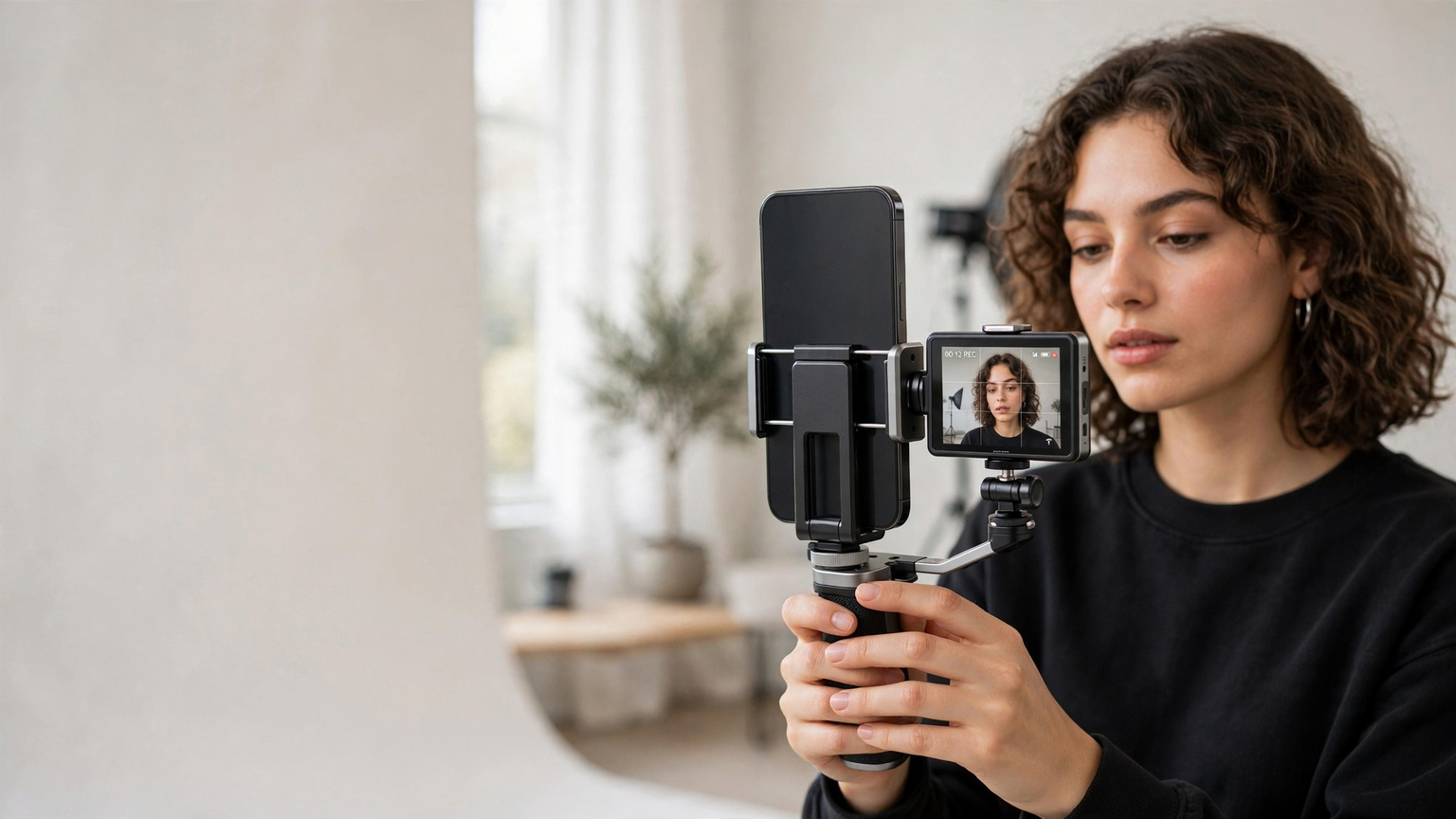
A wireless magnetic vlog monitor is a small external display that attaches to a smartphone or filming rig through a magnetic mount. It receives a live image from the phone, typically through a wireless connection or a companion app, allowing the creator to see the shot while standing in front of the rear camera.
Some products rely on screen mirroring, while others include a transmitter, receiver, or dedicated software. Features and compatibility therefore vary considerably between models.
The word “magnetic” describes the mounting method rather than the video connection. A monitor may attach directly to a compatible phone, a magnetic case, an adhesive ring, or a separate bracket. This design enables fast installation without permanently changing the smartphone.
Why Use the Rear Camera for Vlogging?
Front-facing cameras are convenient because their screens remain visible during recording. However, a phone’s rear camera system often provides better sensors, stronger stabilization, more lens options, improved low-light performance, and higher-quality video modes.
Using a **smartphone vlog monitor** removes much of the guesswork involved in rear-camera recording. Creators can check whether their face is centered, products remain visible, and the background looks intentional. That can reduce unusable footage and limit the time spent reshooting content.
A monitor is particularly helpful for:
- YouTube videos and daily vlogs
- TikTok, Instagram Reels, and YouTube Shorts
- Product demonstrations and unboxing videos
- Beauty, fashion, and fitness content
- Cooking tutorials and educational videos
- Travel filmmaking and walk-and-talk recordings
- Interviews, live streaming, and remote presentations
For solo creators, real-time monitoring can partially replace the guidance normally provided by a camera operator.
Key Benefits of Wireless Magnetic Vlog Monitors
Accurate Framing in Real Time
The main benefit of a **phone camera monitor for vlogging** is the ability to compose a shot before and during recording. You can verify headroom, camera angle, horizon alignment, and background placement without repeatedly walking behind the phone.
This matters in vertical video, where the narrow frame leaves less room for error. A small movement can crop a face, hide a product, or shift the presenter away from on-screen captions.
Faster Content-Creation Workflow
Recording alone often involves a repetitive routine: set the phone, record a test clip, review it, adjust the angle, and start again. A wireless display reduces those interruptions by showing the composition immediately.
Some models also provide remote controls for starting and stopping a recording. Availability depends on the monitor, app, phone, and selected camera mode, so buyers should confirm this feature rather than assume it is included.
Quick Magnetic Mounting
A magnetic vlog monitor can be attached or removed in seconds. This is useful for creators who frequently switch between handheld filming, a tripod, a desktop stand, and a gimbal.
The best mounting system should hold the display securely while allowing its angle to be adjusted. A strong magnet is important, but the monitor should not interfere with the phone’s lenses, buttons, microphones, or charging port.
Lightweight and Travel-Friendly Design
Traditional field monitors can require HDMI cables, camera cages, batteries, and mounting arms. Wireless magnetic models are generally intended to provide a simpler mobile setup. Their compact size makes them practical for creators who film while traveling or working in public locations.
A portable monitor can fit inside a small equipment pouch with a wireless microphone, mini tripod, light, and power bank, creating a capable mobile studio without a large production bag.
Better Product Presentations
Business owners and affiliate creators often need to hold an item close to the camera while staying visible in the frame. A rear-camera monitor lets the presenter confirm that labels, details, and demonstrations remain clear.
This helps with online-store videos, product reviews, social commerce, tutorials, and sponsored content. More accurate framing can create a polished presentation before editing begins.
Features to Consider Before Buying
Not every **wireless magnetic phone monitor** offers the same experience. Consider the following points when comparing products.
Phone and App Compatibility
Verify support for your exact iPhone or Android model and operating-system version. Some monitors work only through a proprietary app, which may not support every camera resolution, frame rate, lens, or video feature.
Check whether the device works with your preferred native camera app and third-party apps. Compatibility with live-streaming and social media platforms may also differ.
Latency and Connection Stability
Wireless video can have a slight delay. Low latency is important when filming movement, demonstrating precise actions, or using the display to adjust a shot in real time.
Connection quality can be affected by distance, obstacles, radio interference, and nearby Wi-Fi networks. Reviews that test the product in real filming situations may be more useful than maximum-range claims.
Screen Quality
Resolution is only one aspect of display quality. Brightness, contrast, viewing angles, and color reproduction also determine whether the screen remains useful indoors and outdoors.
A bright display is valuable for daytime travel vlogging. An adjustable brightness control can preserve battery power in indoor environments.
Battery Life and Charging
Choose a monitor with enough operating time for your normal recording sessions. USB-C charging is convenient, particularly if the monitor can share a charger or power bank with other equipment.
Manufacturer battery estimates may be measured under ideal conditions. Maximum brightness and continuous wireless use can shorten practical runtime.
Mount Strength and Case Support
Confirm whether the product includes a magnetic ring or requires a compatible magnetic phone case. Thick or textured cases may weaken attachment. A backup clamp or cold-shoe adapter can add security for active handheld filming.
Creators should test the mount before using it over water, crowds, traffic, or hard surfaces.
Orientation and Image Controls
For flexible social content, look for support for portrait and landscape positioning. Image rotation and mirroring controls are also useful because some wireless feeds may appear reversed or incorrectly oriented.
Remote shutter control, adjustable guides, and zoomed preview options can be helpful, although they are not standard across all devices.
How to Build a Reliable Vlogging Setup
Begin by securing the smartphone to a tripod, grip, or gimbal. Attach the magnetic monitor where it remains easy to see without covering a camera lens. Pair the device according to the manufacturer’s instructions and confirm that the preview orientation matches your recording format.
Next, choose the rear lens and video settings. Compose the frame using the external display, then perform a short test recording. Check the saved file itself for sharpness, audio quality, stabilization, and exposure. A preview monitor helps with composition, but it does not guarantee that every technical setting is correct.
For better results, combine the monitor with:
- A wireless lavalier or compact directional microphone
- A small LED light or soft window lighting
- A stable tripod, grip, or smartphone gimbal
- A power bank for longer recording sessions
- A lens cloth to keep the rear camera clean
Are Wireless Magnetic Vlog Monitors Worth It?
A wireless magnetic vlog monitor can be a worthwhile investment for anyone who regularly records themselves with a phone’s rear camera. It offers the greatest value to solo creators, mobile journalists, educators, and entrepreneurs who need faster setup and more dependable framing.
Occasional users may be satisfied with a mirror attachment or a phone’s front camera. A monitor becomes more useful when video quality, lens flexibility, and efficient production are priorities.
The right product is not necessarily the one with the longest feature list. It is the model that maintains a stable connection, provides a visible preview, fits your phone securely, and works with your preferred recording software.
Final Verdict
**Wireless magnetic vlog monitors** bridge the gap between the convenience of smartphone filmmaking and the control of a more traditional camera setup. By making the rear-camera view visible from the front, they help creators frame shots confidently, reduce retakes, and produce professional-looking social media videos with less effort.
Before purchasing, compare compatibility, screen brightness, wireless latency, battery life, orientation support, and mount security. With the right monitor—and good lighting, clear audio, and thoughtful composition—a smartphone becomes an even more effective tool for vlogging, live streaming, tutorials, and branded content.
Sources and product examples
The article is based on the supplied editorial text. Current product examples were checked against manufacturer pages for general feature context; specifications vary by model.