Windscreen HUDs are rapidly changing how drivers interact with modern vehicles. Once limited to military aircraft and premium cars, head-up display technology is now appearing in electric vehicles, family SUVs, luxury sedans, and aftermarket accessories. By projecting essential information into the driver’s forward field of vision, a car HUD can reduce the need to look down at conventional instruments.
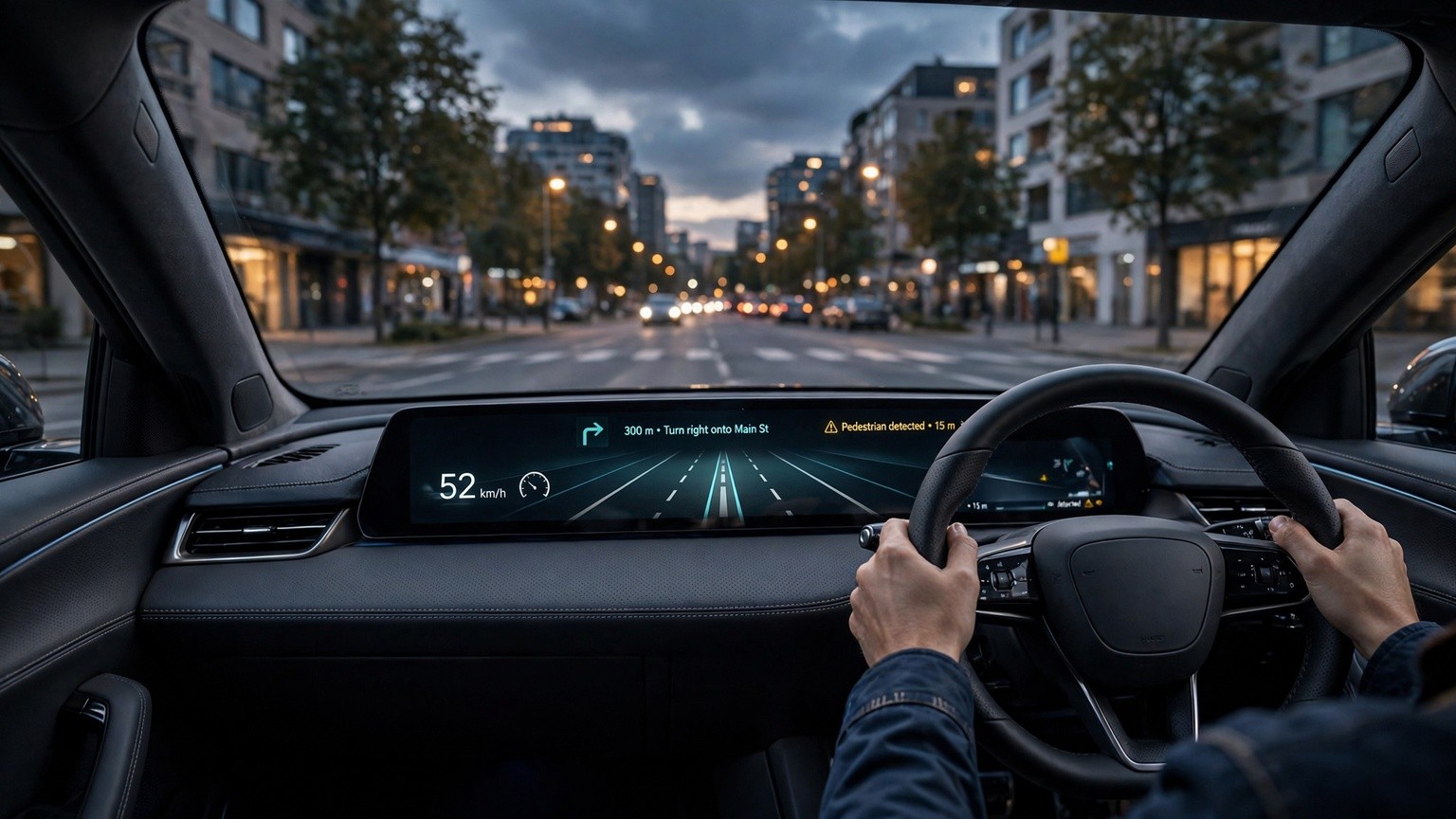
Current systems can show speed, navigation directions, safety alerts, speed limits, and driver-assistance information. More advanced augmented-reality head-up displays can visually connect digital guidance to the road ahead. As connected-car technology develops, the windscreen could become one of the vehicle’s most important information surfaces.
What Is a Windscreen HUD?
A windscreen head-up display, commonly called a HUD, presents driving information on or in front of the windshield. The projected image appears to float beyond the glass, allowing drivers to read it while maintaining a more natural view of the road.
A standard automotive HUD may display:
- Vehicle speed
- Navigation instructions
- Posted speed limits
- Cruise-control status
- Incoming call notifications
- Lane-departure warnings
- Collision alerts
- Fuel level or electric range
Unlike a digital instrument cluster, a HUD does not require the driver to look down toward the dashboard. However, it is not intended to replace attentive driving. Its purpose is to present selected information in a convenient location without overcrowding the field of vision.
How Does Head-Up Display Technology Work?
Most factory-installed HUDs use a projector, image-generation unit, mirrors, lenses, and specially designed windshield glass. Information from the vehicle’s navigation, speed, camera, radar, and assistance systems is processed and projected toward the windscreen. The glass reflects the image toward the driver.
The display is generally positioned so it appears farther away than the actual windshield. This virtual-image effect may reduce the amount of refocusing required when drivers move their attention between the road and vehicle information.
Some affordable systems use a small transparent combiner screen that rises from the dashboard. Others project onto a reflective film attached to the windshield. Premium factory systems are integrated into the vehicle and calibrated for the specific glass, seating position, and dashboard design.
Brightness control is essential. The image needs to remain visible during bright daylight without becoming distracting at night. Many systems automatically adjust brightness according to ambient conditions, while also allowing the driver to change the display height, rotation, and information layout.
Conventional HUDs vs. Augmented-Reality HUDs
Conventional HUDs typically place information in a fixed display area. Speed, navigation arrows, and warnings remain in approximately the same location regardless of what appears outside the vehicle.
An augmented-reality HUD, or AR HUD, takes a more advanced approach. It attempts to align graphics with real-world objects and road features. Navigation arrows may appear to follow the correct lane, while a safety warning could highlight the approximate position of a hazard.
Potential AR HUD functions include:
- Lane-level navigation guidance
- Turn arrows aligned with intersections
- Highlighted pedestrians or cyclists
- Adaptive-cruise-control indicators
- Forward-collision visualization
- Lane-keeping assistance graphics
- Destination markers and points of interest
Accurate alignment requires sophisticated sensors, mapping, software, and calibration. The system must account for vehicle movement, road geometry, driver position, and environmental conditions. Poorly positioned graphics could confuse rather than assist, which makes restrained design and reliable performance critical.
Safety Benefits of Windscreen HUDs
One of the most discussed benefits of a car head-up display is reduced eye movement. Looking down at a speedometer or navigation screen takes attention away from the road, even if only briefly. A HUD places selected information closer to the forward line of sight.
Navigation can become more intuitive because the driver may receive clear turn guidance without repeatedly checking a center touchscreen. Speed-limit information and safety alerts can also be easier to notice when presented in a carefully designed display.
Nevertheless, a HUD does not automatically make driving safer. Too much information can create visual clutter and cognitive distraction. Messages, entertainment details, colorful animations, or excessive notifications may compete with important road cues.
The best HUD designs prioritize only time-sensitive driving information. Drivers should adjust display settings before starting a journey and avoid interacting with complicated menus while moving.
Why Windscreen HUDs Are Growing in Popularity
Modern vehicles contain more technology than ever before. Digital cockpits, navigation systems, cameras, radar, connected services, and advanced driver-assistance systems generate large amounts of information. Manufacturers need a practical way to communicate that data without covering the dashboard with additional screens.
Windscreen displays offer a promising solution. They can deliver relevant information near the driver’s natural viewing area while supporting a cleaner interior design. The technology also fits the growing demand for intelligent, software-driven vehicles.
Electric vehicles are accelerating this trend. EV drivers often monitor remaining range, battery status, charging locations, and energy use. A configurable electric-vehicle HUD can present this information without forcing the driver to navigate multiple touchscreen menus.
HUDs can also support personalization. Depending on the vehicle, drivers may be able to choose what appears, change colors, adjust image height, or select a compact navigation-focused layout.
Factory-Installed and Aftermarket HUDs
A factory-installed windscreen HUD is designed as part of the vehicle. It can receive information directly from onboard systems and may display navigation, safety warnings, driver-assistance status, and detailed vehicle data. Integration usually produces the most polished appearance and consistent image quality.
An aftermarket head-up display offers a lower-cost alternative for vehicles without built-in technology. Some devices connect to the car’s diagnostic port, while others use GPS or pair with a smartphone. They may show basic information such as speed, engine data, or simple navigation instructions.
Compatibility should be checked carefully before purchasing an aftermarket unit. A device may not support every vehicle or provide all advertised functions. Drivers should consider projection quality, installation requirements, data accuracy, cable placement, night brightness, legal restrictions, and windshield visibility.
Any installation must avoid obstructing the driver’s view. Reflective films and dashboard-mounted units should be positioned according to product instructions and applicable local laws.
Common Limitations and Challenges
Although windscreen HUDs offer clear advantages, the technology has limitations. Strong sunlight, polarized sunglasses, windshield angle, and seating position can affect visibility. Some drivers may see a dimmer image while wearing polarized lenses because of the way light is reflected.
Windshield replacement may also be more expensive. HUD-compatible glass can include a special layer or wedge-shaped construction designed to prevent double images. Replacing it with unsuitable glass may produce blur, ghosting, or incorrect alignment.
Another challenge is information overload. An effective HUD should make decisions easier, not surround the driver with unnecessary data. Automakers must determine which alerts deserve immediate visibility and which belong on another screen.
Augmented-reality systems face additional technical demands. Digital graphics must remain stable and properly aligned when the car moves across uneven roads. Rain, fog, darkness, faded lane markings, dirty sensors, and construction areas can also affect the systems that supply information to the HUD.
The Future of Automotive HUD Technology
Future windscreen HUDs are likely to become wider, brighter, and more context-aware. Instead of displaying information in a small area, next-generation systems may use a larger section of the windshield while carefully limiting what appears at any moment.
Artificial intelligence could help determine which information is most relevant. For example, navigation guidance might expand near a complicated intersection and then disappear on a straight road. Hazard alerts could receive temporary priority, while routine data remains subtle.
HUDs may also become more closely connected to vehicle-to-everything communication. Cars could potentially receive warnings about roadworks, emergency vehicles, slippery conditions, or hazards beyond the driver’s immediate view. Any such feature must be dependable and designed to avoid false confidence.
As autonomous functions advance, windscreen interfaces may communicate what the vehicle detects and intends to do. Clear visualization could help occupants understand when an assistance system is active, what it recognizes, and when the driver must regain full control.
What to Consider When Choosing a Car with a HUD
When test-driving a HUD-equipped vehicle, evaluate the display in both bright and dark conditions. Make sure the image is visible from your normal driving position and can be adjusted without discomfort.
Consider these questions:
- Is the display sharp and easy to read?
- Does it work well with your sunglasses?
- Can unnecessary information be disabled?
- Are navigation graphics clear and accurate?
- Do warnings feel helpful or distracting?
- Is the windshield expensive to replace?
- Does the HUD support the vehicle features you regularly use?
A larger display is not necessarily better. Readability, positioning, restraint, and reliability matter more than the number of animations or data fields.
Final Thoughts
Windscreen HUDs are becoming a defining feature of the modern digital cockpit. By presenting speed, navigation, and safety information near the driver’s forward view, they can make essential vehicle data easier to access.
The most advanced augmented-reality systems promise lane-level navigation and visually connected hazard alerts. However, successful design depends on accuracy, simplicity, and responsible use. A HUD should support awareness rather than compete with the road.
As electric vehicles, connected-car systems, and driver-assistance technologies continue to evolve, the windshield will become increasingly important as a digital interface. For drivers, the most useful system will be the one presenting the right information at the right time, rather than simply displaying the most information.